
How to Save Recipes from Instagram (So They Don't Disappear)
By The Citron team
Instagram's Save button keeps the post in a private Saved section of your profile, not the recipe itself, and the creator can still edit the caption or delete the post later. To keep the recipe, copy the caption into Notes, take a screenshot, or import the post into a recipe app that turns it into ingredients and steps.
What Instagram's Save button keeps
According to Instagram's Help Center, as of October 16, 2026:
- To save a post, tap Save below it. To save a reel, tap Options, then Save.
- Your saved posts sit in a private section of your profile: tap your profile picture, then Menu in the top right, then Saved.
- To put a post in a collection, tap and hold Save, then pick a collection or create a new one.
- Only you can see what you saved. The creator can't tell you saved their post.
Instagram's Help Center also says creators can edit or delete a caption, or delete a post, at any time. So the recipe you saved can change or disappear.
Three ways to keep the recipe itself
- Copy the caption into Notes. If the recipe is written out in the caption, paste it into Apple Notes or Google Keep. It costs nothing. You get plain text, with no photo, and you scale it and shop for it by hand.
- Take a screenshot. It's the fastest. A long caption takes several screenshots, and a recipe that's only said out loud in the video isn't on any of them.
- Import it into a recipe app. A recipe app reads the post and saves the title, ingredients and steps as a recipe you can search, cook from and shop from.
Save an Instagram recipe with Citron
Citron imports your recipes from Instagram, TikTok, YouTube or any website, and turns them into your weekly meal plan and grocery list. The Citron recipe app imports recipes from web links, Instagram, TikTok, YouTube, Facebook, photos (even handwritten), and voice notes.
- In Instagram, tap Share (the paper plane) on the post or reel, then Share to, and pick Citron. Citron reads the caption and saves the recipe.
- Or tap Share, then Copy link. Open Citron, tap the green + button, then Paste link and Import recipe.
If you share a reel you've already saved, Citron opens the recipe you have instead of saving it twice.
Worked example: one Instagram reel
We tried the method on one public reel on October 16, 2026, on an iPhone with the Citron app in English. We had saved this reel to Citron before, so the screens below show what happens when you share a recipe you already have.
- Open the reel Sheet-Pan Tomato Soup & Grilled Cheese, posted October 15, 2026. Its caption holds the whole recipe, in US measures such as 4 tbsp olive oil, 2–3 cups broth and ½ cup heavy cream. Share, the paper plane, sits in the column on the right, just above Save.

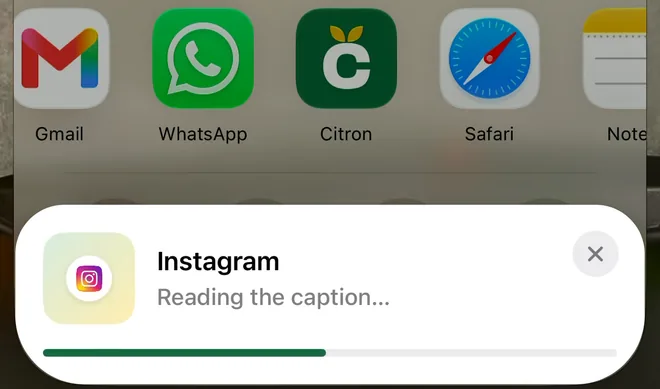
- Tap Share, then Share to, then Citron in the row of apps. Citron starts reading the caption.
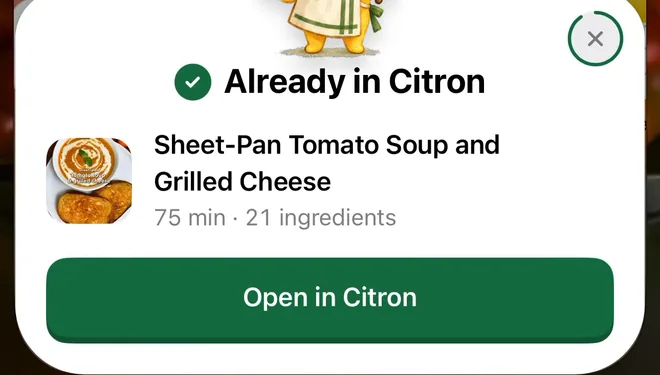
- We had saved this reel before, so Citron showed Already in Citron, with the recipe's title, 75 minutes and an Open in Citron button. It doesn't save a second copy.
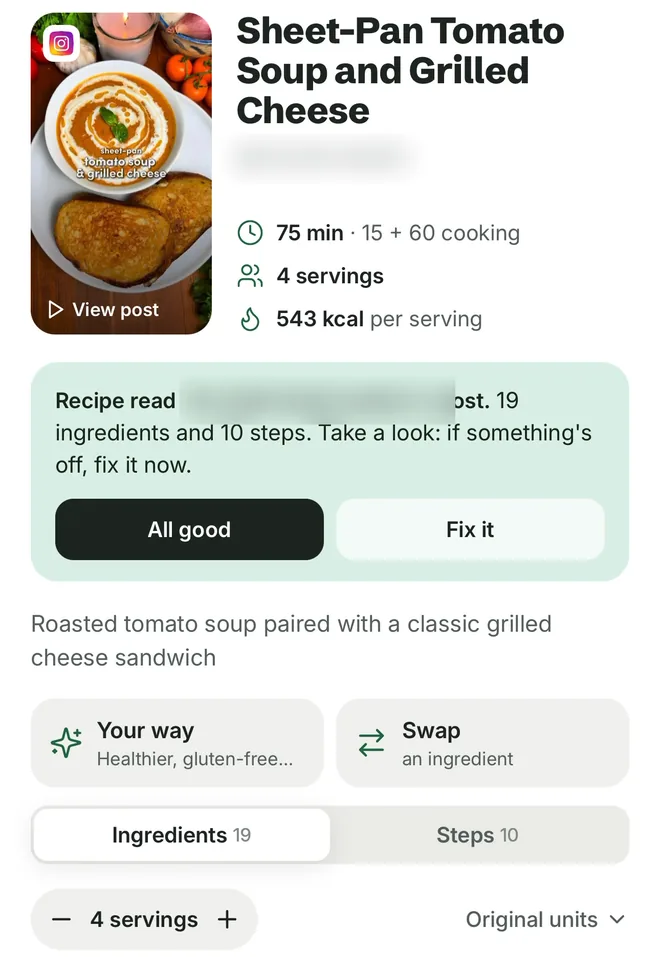
- The recipe opens in Citron: Sheet-Pan Tomato Soup and Grilled Cheese, 75 minutes, 4 servings, with a View post link back to the reel. The ingredient list has an Original units setting at the top.
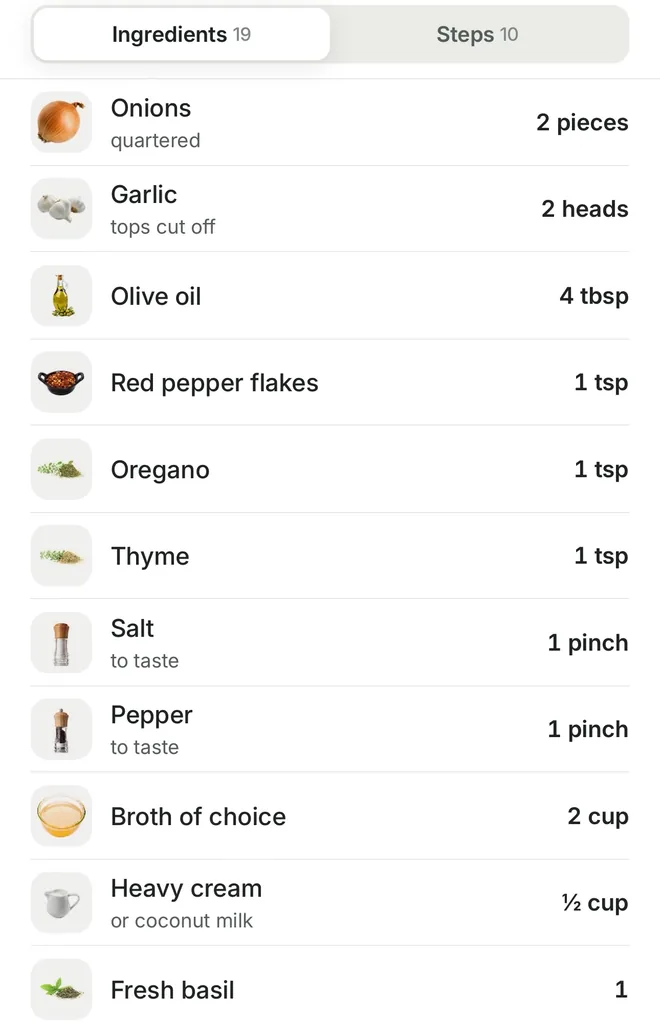
- The ingredients show the caption's measures, such as 4 tbsp olive oil and ½ cup heavy cream.
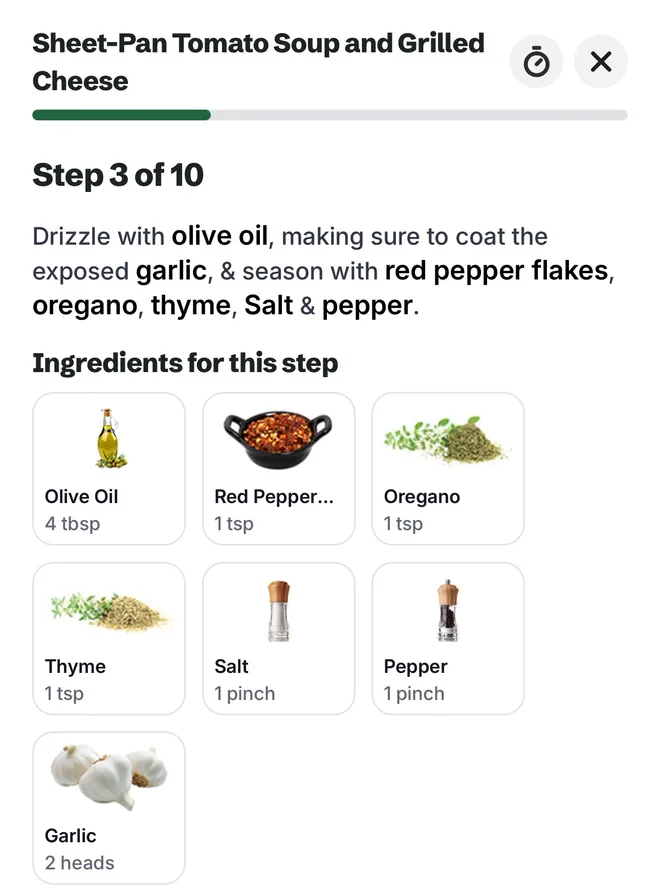
- Start Cooking walks you through the 10 steps one at a time, each with the ingredients and amounts it uses.


Other ways people save Instagram recipes
Other recipe apps save recipes too. Here's what each one's own pages say about Instagram, read on October 16, 2026, in alphabetical order:
- Paprika. Its iOS user guide describes saving recipes from web pages with its built-in browser, or with the Share button in Safari. The guide doesn't mention Instagram. It's a paid app, and each version (iOS, Android, Mac, Windows) is sold separately.
- Pepper. In Instagram, tap Share, then Share to, then Pepper. Or copy the link, then in Pepper tap the red + button and Import Link. Pepper's FAQ says the free version and P+ both import without limit, and P+ adds collections and removes ads.
- ReciMe. In Instagram, tap Share, then Share to, then ReciMe. Its help center says it reads the recipe from the caption first. Without one, it tries the video's audio, then the recipe's original website. The free version includes up to 5 recipe imports a week. ReciMe Plus has unlimited imports.
Sources
Read on October 16, 2026:
- Save posts you see on Instagram (Instagram Help Center, iPhone): saving posts and reels, collections, where Saved is, and who can see it.
- Add, edit or delete the caption of an existing Instagram post and Delete posts you've shared on Instagram (Instagram Help Center).
- Paprika's iOS user guide and Paprika's home page: the built-in browser, the Safari extension, each version sold separately.
- Pepper's FAQ: where it imports from, the two import paths, free and P+.
- ReciMe's Import from Instagram article (updated February 3, 2026) and What are the benefits of ReciMe Plus? (updated August 16, 2026).
- The worked example's reel on Instagram.
Frequently asked questions
Can you save Instagram recipes without an app?
Yes. Copy the caption into Notes, or take a screenshot. Both keep the recipe as it reads today, but you scale it and write your grocery list by hand. A recipe app does that part for you. The Citron recipe app imports recipes from web links, Instagram, TikTok, YouTube, Facebook, photos (even handwritten), and voice notes. Put your recipes on the days of the week, from breakfast to dinner. Your grocery list fills itself in from your plan: ingredients sorted by aisle, amounts added up across recipes.
Does Instagram's Save button keep the recipe?
No. It keeps the post in a private Saved section of your profile. According to Instagram's Help Center (read October 16, 2026), the creator can still edit the caption or delete the post at any time. To keep the recipe itself, copy it, screenshot it, or import it into a recipe app.
Can I save recipes from Instagram Reels?
Yes. To save a reel in Instagram, tap Options, then Save. To keep the recipe from a reel, share it to a recipe app. The Citron recipe app imports recipes from web links, Instagram, TikTok, YouTube, Facebook, photos (even handwritten), and voice notes. Free to start, with limited imports and the core features.
Read next
Try the Citron app
Free to start, with limited imports and the core features.